Scribe now knows your schedule. Just tap and talk! Learn more >
Veterinary Practice Management Guide
What is a PIMS? The complete guide for veterinary practices
Section 1
What is a PIMS?
Section 2
Core features of a veterinary PIMS
Section 3
Why your PIMS is the foundation of your practice
Section 4
How much does a veterinary PIMS cost?
Section 5
How to choose the right PIMS for your practice
Section 6
PIMS integrations and add-ons
Section 7
How PetDesk integrates with your PIMS
Section 8
Frequently asked questions about PIMS
Section 1
What is a PIMS?
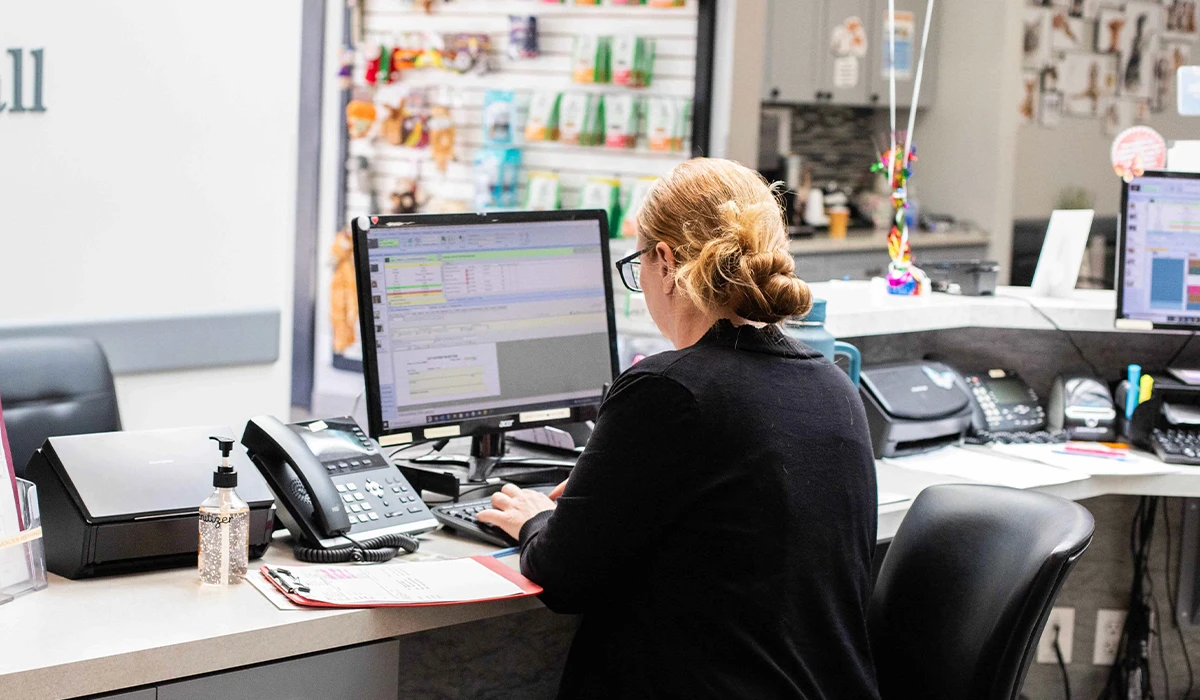
A practice information management system (PIMS) is the central software platform that runs a veterinary clinic. It's the operational backbone—where your team manages patient records, schedules appointments, processes invoices, tracks inventory, and communicates with clients, all from one place.
PIMS is the preferred term in veterinary medicine. You may also see it called a practice management system (PMS), though PIMS is more precise because it emphasizes the breadth of information—medical records, financials, client data—managed by the platform.
Quick definition: A PIMS is the central software platform that stores and connects every piece of information your veterinary practice needs to operate—from patient records and appointment scheduling to invoicing and inventory management.
Section 2
Core features of a veterinary PIMS
Not all PIMS platforms are built the same, but most modern systems for general practices share these capabilities:
" height="13.333359999999999px" id="YooFZfaH8" transform="translate(2 2)" width="13.333359999999994px"/></svg>)
Medical records: SOAP notes, patient history, vaccination records, lab results, and treatment plans in one organized record per patient.
" height="13.333359999999999px" id="djaazT9U_" transform="translate(2 2)" width="13.333360671997072px"/></svg>)
Appointment scheduling: Calendar management, appointment types, provider scheduling, and waitlists built to handle the pace of a busy clinic.
" height="9.999960167419124px" id="aH3NyBEIK" transform="translate(1.333 3.333)" width="13.333344041731198px"/></svg>)
Invoicing and payments: Generate estimates, create invoices, process payments, and track outstanding balances tied directly to the patient record.
" height="11.666640000000001px" id="j3zgeeN07" transform="translate(2.667 1.333)" width="9.00001599999996px"/><path d="M 3.583 2.853 L 3.583 0 C 3.634 0.039 3.683 0.081 3.729 0.127 L 6.808 3.207 C 6.855 3.253 6.898 3.302 6.937 3.353 L 4.083 3.353 C 3.951 3.353 3.824 3.301 3.73 3.207 C 3.636 3.113 3.583 2.986 3.583 2.853 Z M 1.414 13.021 C 1.104 13.021 0.801 12.925 0.548 12.746 C 0.295 12.567 0.103 12.314 0 12.021 L 5.748 12.021 C 6.323 12.021 6.874 11.793 7.28 11.387 C 7.686 10.98 7.915 10.429 7.915 9.855 L 7.915 4.313 L 8.475 4.873 C 8.757 5.155 8.915 5.536 8.915 5.934 L 8.915 9.855 C 8.915 10.271 8.833 10.682 8.674 11.067 C 8.514 11.451 8.281 11.8 7.987 12.094 C 7.693 12.388 7.344 12.621 6.959 12.78 C 6.575 12.94 6.163 13.021 5.747 13.021 Z" fill="rgb(35, 35, 42)" height="13.021328239588328px" id="Q40RU2iiV" transform="translate(4.42 1.645)" width="8.914647999999943px"/></svg>)
Inventory management: Track medications, supplies, and controlled substances. Set reorder thresholds and monitor dispensing tied to treatments.
" height="12.000000026097068px" id="nn926Kixv" transform="translate(2 2)" width="11.665999352111793px"/></svg>)
Reporting and analytics: Practice production reports, provider performance, client retention rates, and revenue tracking.
" height="13.333359999999999px" id="INIHnQmVo" transform="translate(1.333 2)" width="13.999984332151326px"/></svg>)
Client and patient profiles: Complete records for every client and pet including contact info, visit history, reminders due, and communication preferences.
Section 3
Why your PIMS is the foundation of your practice
Your PIMS isn't just administrative software—it's the source of truth for your entire practice. Every patient interaction, every transaction, and every client relationship flows through it. When it works well, your team works efficiently. When it doesn't, everything downstream suffers.
For practice managers and owners, choosing and optimizing your PIMS is one of the highest-leverage decisions you'll make. It shapes how fast your front desk can check in clients, how accurately your vets can access records, how quickly invoices get processed, and how well your communication tools can serve pet parents between visits.
Most communication platforms, reminder tools, and client engagement software connect directly to your PIMS. Your PIMS is the data source; a well-configured PIMS unlocks everything else you add to your tech stack.
Section 4
How much does a veterinary PIMS cost?
PIMS pricing varies widely based on deployment type (cloud-based vs. on-premise), practice size, and which modules you need. Here's a general breakdown of what to expect:
Cloud-based PIMS platforms have become the standard for new and growing practices. They typically offer lower upfront cost, automatic updates, and better support for integrating third-party communication tools like PetDesk.
Pro tip: When comparing PIMS costs, look beyond the base subscription. Ask vendors specifically about data migration fees, per-user pricing, integration costs with communication tools, and what's included in your support tier.
Section 5
How to choose the right PIMS for your practice
The right PIMS depends on your practice type, size, growth plans, and the tools you want to connect to it. Here's what to consider during your search:
" height="13.333325000000002px" id="Kf6vwCqaO" transform="translate(1.334 1.333)" width="13.33331499999997px"/><path d="M 5.134 0.159 L 2.154 3.139 L 0.841 1.826 C 0.746 1.737 0.621 1.689 0.491 1.692 C 0.362 1.694 0.238 1.746 0.146 1.838 C 0.055 1.93 0.002 2.053 0 2.183 C -0.002 2.312 0.046 2.438 0.134 2.532 L 1.801 4.199 C 1.895 4.293 2.022 4.345 2.154 4.345 C 2.287 4.345 2.414 4.293 2.508 4.199 L 5.841 0.866 C 5.89 0.82 5.929 0.765 5.957 0.703 C 5.984 0.642 5.999 0.576 6 0.509 C 6.001 0.442 5.989 0.375 5.964 0.313 C 5.938 0.25 5.901 0.194 5.854 0.146 C 5.806 0.099 5.75 0.062 5.687 0.036 C 5.625 0.011 5.558 -0.001 5.491 0 C 5.424 0.001 5.358 0.016 5.297 0.043 C 5.235 0.071 5.18 0.11 5.134 0.159 Z" fill="rgb(222, 239, 145)" height="4.345329770034447px" id="Rsc86Zs4i" transform="translate(5.013 5.821)" width="6.000008611866147px"/></svg>)
Compatibility with communication tools
Ask every PIMS vendor which client communication and engagement platforms integrate directly with their system. If a tool you rely on—or plan to use—only syncs through a third party rather than integrates directly, understand what that means for data accuracy and real-time updates.
Cloud vs. on-premise deployment
Cloud-based systems offer easier updates, remote access, and simpler third-party integrations. On-premise systems give you more control over your data but require local IT infrastructure. Most practices switching today choose cloud-based.
Specialty vs. general practice fit
Some PIMS platforms are designed for general practices, while others are built for specialty, emergency, or mixed animal practices. Make sure the system's workflow assumptions match yours—a small animal general practice and a 24-hour emergency hospital have very different needs.
Key questions to ask PIMS vendors
" height="9.533902069465881px" id="x7tT6nQrR" transform="translate(5.007 3.56)" width="5.987079999999969px"/></svg>)
Which client communication platforms integrate directly with your PIMS?
How does data migration from our current system work, and what does it cost?
What does onboarding and training look like for our team?
How are software updates handled, and do they cause downtime?
What reporting capabilities are included, and what requires an add-on?
Is there a per-user cost, and how does pricing scale as we grow?
What does your support model look like—phone, chat, dedicated rep?
Section 6
PIMS integrations and add-ons
Your PIMS handles core operations, but most clinics pair it with specialized tools that plug into it directly. The most common categories:
" height="12.002322048672745px" id="vJdq14CcN" transform="translate(1.331 2)" width="13.377027343066183px"/></svg>)
Client communication: Automated reminders, two-way texting, appointment confirmations, and mass messaging—all pulling data from your PIMS.
Online booking: Real-time appointment booking that writes directly back to your PIMS schedule so nothing double-books.
" height="13.333188557298826px" id="ZHtJ_N20e" transform="translate(3.607 1.333)" width="9.333509468760248px"/></svg>)
Phone systems: VoIP and call management platforms that surface client and patient info from your PIMS when a call comes in.
Online payments: Payment processors that sync transactions to your PIMS ledger, with some enabling upfront deposits and digital estimates.
" height="12px" id="WCFlm7JNA" transform="translate(2 2)" width="12px"/></svg>)
Digital intake forms: Online intake and consent forms that push completed data directly into the patient record before the appointment.
" height="13px" id="OQFkXX6eI" transform="translate(1.334 1.667)" width="13.160999137218198px"/></svg>)
Diagnostics: Lab integrations that push results directly into the patient record in your PIMS.
The key distinction when evaluating add-ons: a tool that integrates directly with your PIMS means it reads and writes data in real time without manual intervention. A tool that syncs through a third party may lag or require additional setup. Always ask vendors which model they use.
Section 7
How PetDesk integrates with your PIMS
PetDesk: PetDesk integrates directly with your PIMS—not through a third party. That means client records, appointment data, and patient history stay in sync in real time, so your team always works from accurate information without manual exports or data entry.
PetDesk is a client engagement platform built specifically for veterinary practices. It connects to your PIMS to automate the communication and administrative tasks that typically eat up your front desk's day—appointment reminders, two-way texting, online booking, and more.
What PetDesk does with your PIMS data
PIMS platforms PetDesk integrates with
PetDesk integrates with many of the most widely used veterinary PIMS platforms. When PetDesk integrates with your PIMS, data flows directly—no middleware, no manual syncing. You can always view the full PIMS compatibility list to see which PetDesk solutions work with your specific system.
The result: Your front desk spends less time on the phone. Your clients get the digital experience they expect. And your team reclaims time every week to focus on patient care—not administrative busywork.
Section 8
Frequently asked questions about PIMS
What does PIMS stand for?
PIMS stands for practice information management system. It's the preferred term in veterinary medicine for the central software platform that manages patient records, scheduling, billing, and other core clinic operations.
What's the difference between a PIMS and a PMS?
PMS (practice management system) is a more general term used across healthcare. PIMS is the veterinary-specific term and is preferred because it better reflects the breadth of information—medical, financial, and client data—that the system manages.
Is cloud-based PIMS better than on-premise?
For most practices, yes. Cloud-based PIMS offers automatic updates, easier access for multi-location or remote use, lower upfront cost, and better support for integrating client communication tools. On-premise can make sense for large organizations with specific data control needs.
Can I switch PIMS without losing patient records?
Yes. Most PIMS vendors offer data migration services to transfer your records from your current system. The complexity and cost varies depending on how structured your existing data is and how long you've been on your current platform. Always ask about migration timelines and what data transfers.
How does a communication tool like PetDesk connect to my PIMS?
PetDesk integrates directly with your PIMS, meaning it reads patient and appointment data in real time without manual data exports. When a client books online, it writes back to your PIMS schedule automatically. When a reminder is due, it pulls from your PIMS records to send it.
What PIMS does PetDesk work with?
PetDesk integrates with many of the most widely used veterinary PIMS platforms. View our full PIMS compatibility list to confirm compatibility with your specific system.
See how PetDesk works with your PIMS
PetDesk integrates directly with your practice information management system to automate reminders, simplify booking, and give your front desk time back every week.